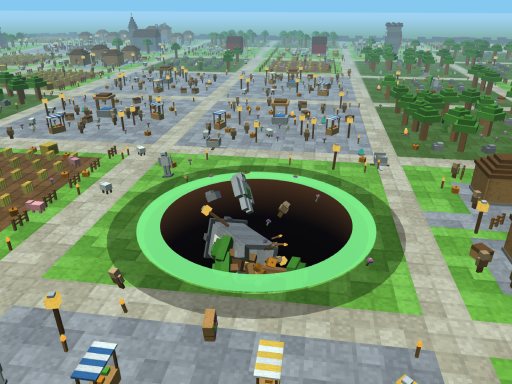
Grass Rush Adventure
Cut through tall grass and uncover treasures in Grass Rush Adventure. Explore with your character, collect what you find and turn those discoveries into upgrades for your next trip.
Keyboard and mouse recommended. The publisher lists this game as not mobile-ready.
Games may show ads before play. Use the game's on-screen controls to continue.
How to play Grass Rush Adventure
Click inside the game to focus it. Move with WASD or the arrow keys. Use Space or hold the left mouse button to swing your tool. Press B to open your backpack; while it is open, press S to sell the collected items. Esc opens settings.
Tips
Start by learning the movement and backpack controls. Check what you collected before selling, then read an upgrade's cost and effect before buying it.
Your first trip into the grass
Begin with the movement keys and a short sweep of the nearby grass. The aim is to discover treasures while making your character stronger. Keep the game focused when using keyboard controls; a key press outside the player may scroll the page instead.
Open your backpack and sell your finds
B opens or closes Backpack. S is the selling shortcut while Backpack is open. Check the item list first so you know what you are selling. The same B key is also listed as the way to leave Daily Garden when you are inside that area.
Tools, backpack space and progression
The publisher describes upgrades for your tool, backpack capacity and collection abilities. Look at the in-game description and price before choosing an upgrade. Rebirth and later worlds are progression features; there is no need to reset your progress just to learn the opening controls.
Frequently asked questions
What are the Grass Rush Adventure controls?
Use WASD or the arrow keys to move, Space or a held left mouse button to swing, B for Backpack and S to sell while Backpack is open. Esc opens settings. Click inside the player before using the keyboard.
How do I sell treasures?
Collect an item, press B to open Backpack, then use the Sell control or press S while that panel is open. Read the panel before confirming what you want to sell.
Can I play Grass Rush Adventure on a phone?
The publisher marks this version as not mobile-ready. A desktop keyboard and mouse are the recommended controls.
Is this the official Grass Rush Adventure website?
Riot Escape is an independent browser-game site. This game is credited to Odronczyk and embedded through the linked GameMonetize listing.
Game provided by GameMonetize.